

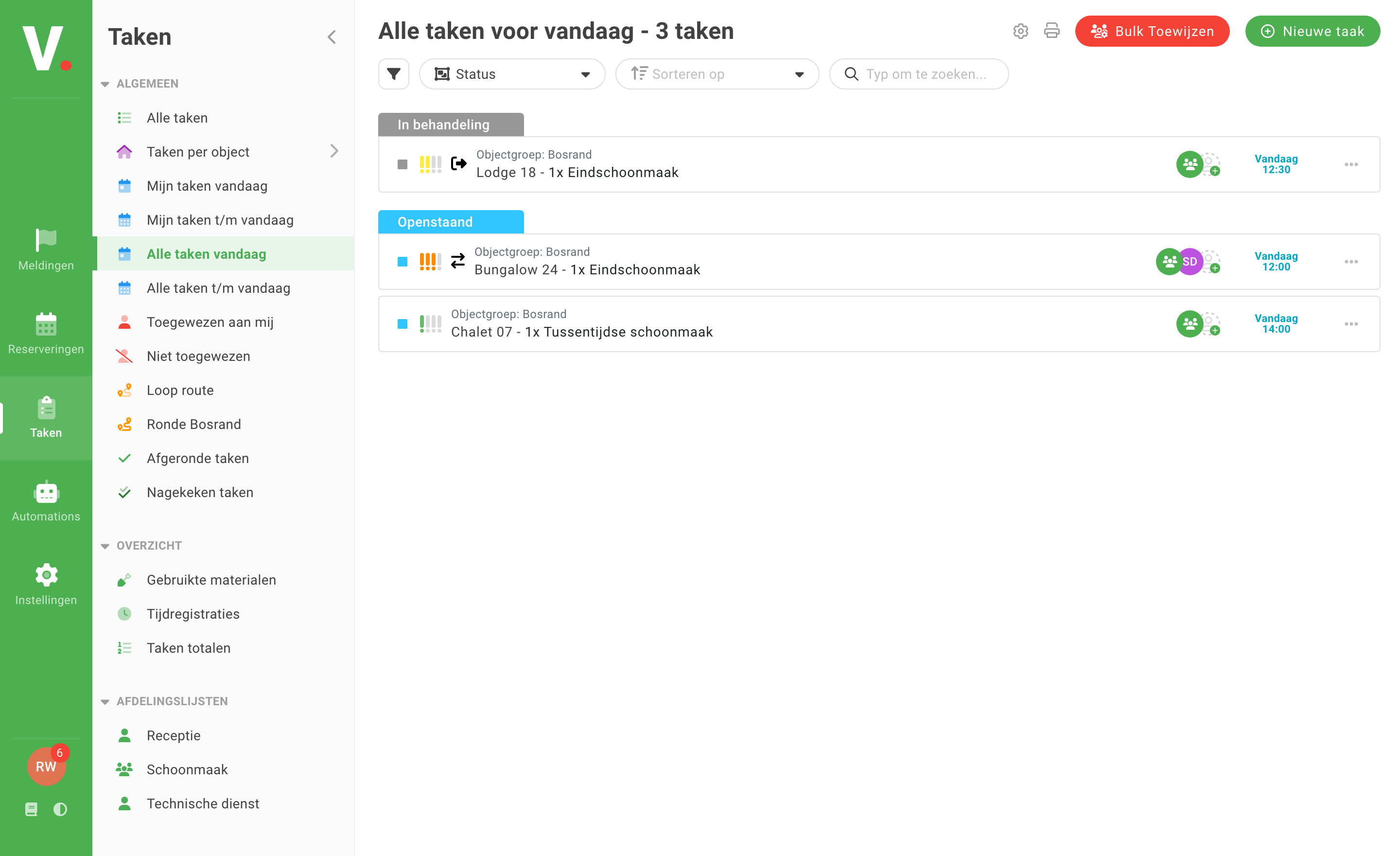
Verbleif is a pleasant and simple task system that we use between the facility departments and reception. It works efficiently and the tasks are in a clear overview.

Tamara SpijkermanBeerze Bulten

From request to execution
A guest books extra bed linen for Bungalow 24. This is how that becomes a concrete job for the team.
Bungalow 24 · Extra bed linen
With a suitable integration, Verbleif creates a task from the add-on item. You can also add a task yourself.
Bungalow 24 · Extra bed linen
Sanne · Cleaning
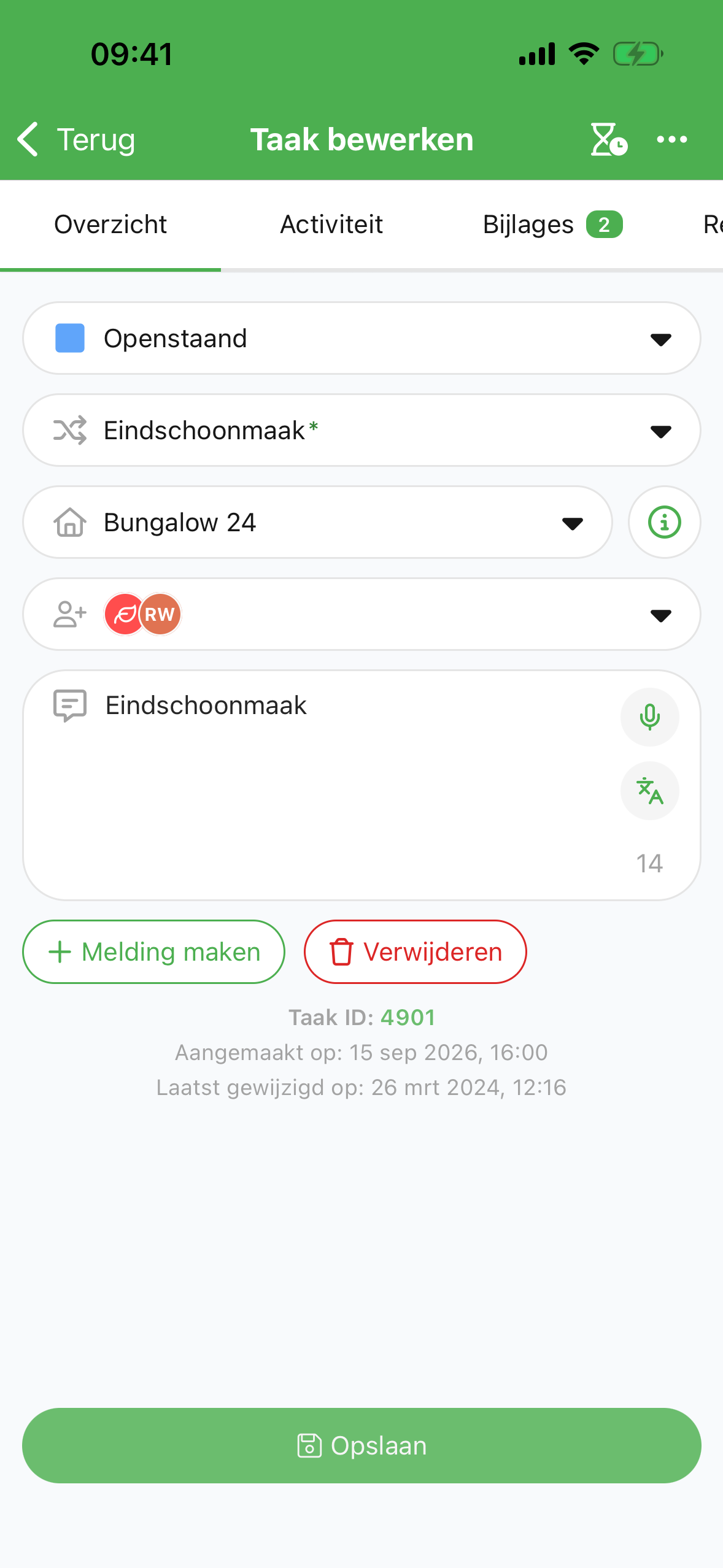
Assign the task to Sanne or her team. The accommodation, description and deadline are all in one place.
Bungalow 24 · Extra bed linen
Sanne · Cleaning
Sanne delivers the bed linen and completes the task in the app. After syncing, reception sees the new status.
Automatic tasks follow the rules you set and the capabilities of your integration.
One-off and recurring
Create a task when something needs to be arranged in between. For example, bringing an extra key or checking a defect.
Schedule work that keeps coming back, such as an inspection or a maintenance visit.
Let agreed rules create tasks for reservations or add-on items. Available with the right integration and the suitable package.
All information in one place
A colleague does not have to look for a separate message or note first. The description, location and coordination stay with the work.
Set a priority and deadline.
Break a job down into subtasks.
Add photos, documents and messages.
Update several tasks at once or export the data.
From the field
Verbleif is a pleasant and simple task system that we use between the facility departments and reception. It works efficiently and the tasks are in a clear overview.